
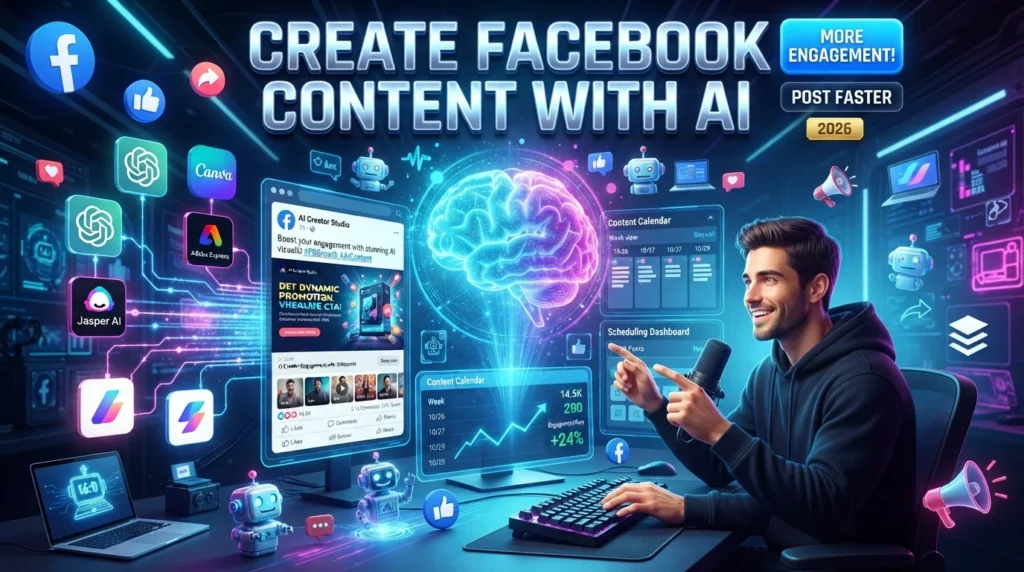
Facebook remains one of the world’s largest social media platforms, making it an essential channel for businesses, creators, marketers, nonprofits, and community organizations. Whether you’re promoting products, sharing updates, or building an online community, creating engaging content consistently can require significant time and effort.
Artificial Intelligence (AI) simplifies Facebook content creation by helping generate post ideas, write captions, design graphics, edit videos, suggest hashtags, and analyze audience engagement. Instead of starting every post from scratch, you can use AI to streamline your workflow while focusing on strategy and community building.
While AI can improve efficiency, successful Facebook marketing still depends on creating authentic, valuable content that resonates with your audience. AI is best used as a creative assistant rather than a replacement for human judgment.
In this guide, you’ll learn how to create Facebook content using AI, explore the best AI-powered tools, and discover strategies for increasing engagement and improving your Facebook marketing in 2026.
For more AI software reviews, social media tutorials, SEO guides, and business resources, visit:
Why Use AI for Facebook Content?
Creating high-quality Facebook content involves planning, writing, designing, editing, publishing, and analyzing results.
AI can help with:
- Post ideas
- Caption writing
- Graphic design
- Video creation
- Carousel content
- Poll questions
- Event promotions
- Hashtag suggestions
- Content scheduling
- Performance analysis
AI speeds up content creation while allowing you to add your own creativity and expertise.
Benefits of AI for Facebook Marketing
Businesses and creators use AI because it helps:
- Save time
- Generate creative ideas
- Design professional graphics
- Improve writing quality
- Maintain consistent posting
- Analyze audience engagement
- Increase productivity
- Organize content calendars
- Repurpose existing content
- Scale marketing efforts
Step 1: Understand Your Audience
Before creating content, identify your target audience.
Consider factors such as:
- Age
- Interests
- Location
- Buying behavior
- Online activity
- Preferred content formats
AI analytics tools can provide useful insights, but combine them with your own customer research.
Step 2: Generate Facebook Content Ideas
AI can quickly generate ideas like:
- Educational posts
- Product highlights
- Customer testimonials
- Behind-the-scenes content
- Industry news
- Success stories
- Polls
- Questions
- Tips and tutorials
- Seasonal promotions
A content calendar helps maintain consistency throughout the month.
Step 3: Write Engaging Facebook Posts
AI writing assistants can create:
- Promotional posts
- Educational content
- Storytelling posts
- Product launches
- Event announcements
- Community updates
- Customer appreciation posts
Recommended AI writing tools:
- ChatGPT
- Jasper AI
- Copy.ai
- Grammarly
Always review and personalize AI-generated copy so it reflects your brand voice.
Step 4: Design Professional Graphics
Visual content attracts more attention on Facebook.
AI design tools can create:
- Social media graphics
- Promotional banners
- Quote cards
- Product advertisements
- Infographics
- Event posters
- Carousel images
Popular tools include:
- Canva AI
- Adobe Express AI
- Microsoft Designer
- Leonardo AI
- Ideogram
Customize designs to align with your branding.
Step 5: Create Short Videos
Video content often receives strong engagement.
AI can help generate:
- Video scripts
- AI voiceovers
- Captions
- Background music suggestions
- Automatic subtitles
- Video editing recommendations
Examples of Facebook videos include:
- Product demonstrations
- Tutorials
- Customer stories
- Company updates
- Educational clips
Review videos for accuracy and brand consistency before publishing.
Step 6: Schedule Content
Publishing consistently helps maintain audience engagement.
Scheduling platforms include:
- Buffer AI
- Hootsuite AI
- Later
- Metricool
Scheduling in advance helps maintain a regular posting routine.
Step 7: Optimize for Engagement
AI can recommend improvements such as:
- Better posting times
- Shorter captions
- Stronger calls-to-action
- Improved headlines
- Relevant hashtags
- Content variations
Experiment with different formats and monitor results over time.
Step 8: Analyze Performance
Track key Facebook metrics including:
- Reach
- Impressions
- Likes
- Comments
- Shares
- Click-through rate
- Page followers
- Video views
Use analytics to refine future content rather than assuming any single strategy guarantees success.
Best AI Tools for Facebook Content
ChatGPT
Best for:
- Post writing
- Brainstorming
- Captions
Canva AI
Best for:
- Graphics
- Templates
- Social media design
Adobe Express AI
Best for:
- Marketing visuals
- Image editing
Jasper AI
Best for:
- Marketing copy
- Advertising content
Leonardo AI
Best for:
- AI-generated artwork
- Creative visuals
Microsoft Designer
Best for:
- Promotional graphics
- Quick social media designs
Buffer AI
Best for:
- Scheduling
- Publishing
Comparison Table
| AI Tool | Best For | Free Plan | AI Features |
|---|---|---|---|
| ChatGPT | Writing | ✅ | ⭐⭐⭐⭐⭐ |
| Canva AI | Graphics | ✅ | ⭐⭐⭐⭐⭐ |
| Adobe Express AI | Visual Design | Limited | ⭐⭐⭐⭐ |
| Jasper AI | Marketing Copy | Trial | ⭐⭐⭐⭐⭐ |
| Leonardo AI | AI Images | Limited | ⭐⭐⭐⭐⭐ |
| Microsoft Designer | Social Graphics | ✅ | ⭐⭐⭐⭐ |
| Buffer AI | Scheduling | Limited | ⭐⭐⭐⭐ |
Best Practices for AI Facebook Content
- Keep your brand voice consistent
- Edit AI-generated posts
- Use high-quality visuals
- Publish regularly
- Encourage audience interaction
- Test multiple content formats
- Monitor analytics
- Respond to comments promptly
Common Mistakes to Avoid
Avoid these common pitfalls:
- Publishing AI-generated posts without editing
- Posting only promotional content
- Ignoring audience feedback
- Using low-quality images
- Posting inconsistently
- Neglecting analytics
- Expecting AI to replace human creativity
Benefits of AI for Facebook Marketing
AI helps businesses and creators:
- Save time
- Improve productivity
- Create better visuals
- Generate engaging copy
- Organize content calendars
- Analyze audience behavior
- Scale content production
- Support long-term marketing goals
Final Verdict
AI has become an excellent assistant for Facebook content creation by helping users generate ideas, write engaging posts, design graphics, and schedule content more efficiently. Tools such as ChatGPT, Canva AI, Adobe Express AI, Jasper AI, Leonardo AI, Microsoft Designer, and Buffer AI make it easier to produce high-quality Facebook content in less time.
However, the strongest Facebook marketing combines AI with authentic storytelling, valuable information, and active community engagement. Use AI to enhance your workflow while ensuring your content reflects your brand and serves your audience.
Frequently Asked Questions
Can AI create Facebook posts?
Yes. AI can help write captions, generate post ideas, design graphics, and suggest publishing schedules. Human review is recommended to ensure quality and authenticity.
Which AI tool is best for Facebook content?
The best tool depends on your workflow. ChatGPT is useful for writing, Canva AI simplifies design, Jasper AI supports marketing copy, and Buffer AI helps with scheduling.
Can AI improve Facebook engagement?
AI can improve content quality, consistency, and workflow efficiency. Engagement depends on multiple factors, including audience relevance, creativity, timing, and interaction.
Is AI suitable for small businesses?
Yes. Many AI tools provide free plans or affordable pricing, making them suitable for freelancers, startups, creators, and small businesses.
Internal Link
Explore more AI tools, marketing tutorials, SEO guides, and productivity resources at:





