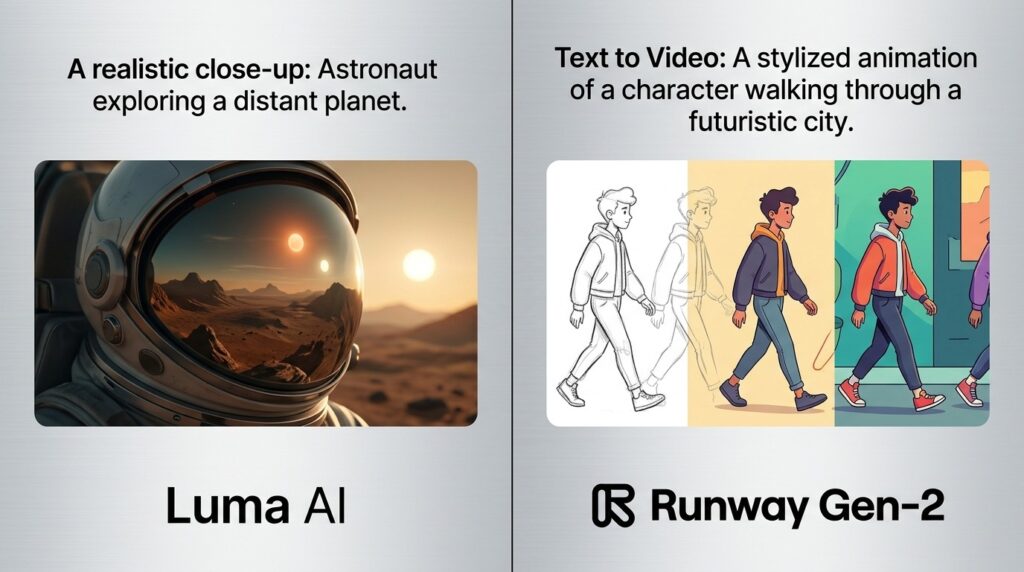
AI video generation has evolved rapidly, allowing creators to produce cinematic videos from simple text prompts. Among the leading platforms in this space, Luma AI and Runway have emerged as top choices for content creators, marketers, filmmakers, and businesses.
While both tools offer advanced text-to-video generation, they focus on different strengths. Luma AI is known for realistic motion and physics, while Runway excels in cinematic control, consistency, and professional filmmaking workflows. Independent comparisons frequently highlight Luma for fluid movement and Runway for advanced production features.
In this comprehensive Luma AI vs Runway comparison, we’ll examine features, video quality, pricing, ease of use, and ideal use cases to help you decide which AI video generator is right for you.
What is Luma AI?
Luma AI is an AI-powered video generation platform best known for its Dream Machine model, which transforms text prompts and images into realistic video clips.
The platform focuses on:
- Natural motion generation
- Realistic physics simulation
- Fast video rendering
- Photorealistic visuals
- Creator-friendly workflows
Key Features of Luma AI
- Text-to-video generation
- Image-to-video creation
- Realistic motion physics
- HDR video output
- Loop generation
- Fast rendering modes
- Visual annotations
Luma AI is particularly praised for producing fluid, natural-looking motion and realistic environmental effects.
What is Runway?
Runway is a professional AI video generation and editing platform used by creators, agencies, and production studios worldwide.
The platform offers advanced tools for:
- AI filmmaking
- Video editing
- Character consistency
- Camera controls
- Visual effects creation
Key Features of Runway
- Text-to-video generation
- Image-to-video workflows
- AI video editing
- Motion Brush
- Director Mode
- Green screen tools
- Character consistency controls
Runway is widely recognized for its professional-grade controls and storytelling capabilities.
Luma AI vs Runway: Head-to-Head Comparison
Video Quality
Luma AI
Luma AI produces:
- Natural movement
- Realistic physics
- Smooth camera motion
- Photorealistic scenes
Many creators prefer Luma for dynamic movement involving water, smoke, cloth, and realistic environmental interactions.
Runway
Runway focuses on:
- Cinematic visuals
- Consistent scenes
- Professional storytelling
- High-quality rendering
Winner: Tie
Luma excels in motion realism while Runway shines in cinematic storytelling.
Motion Realism
Luma AI
One of Luma’s biggest strengths is realistic motion and physics simulation.
Benefits include:
- Natural object movement
- Better fluid dynamics
- Organic animations
Runway
Runway generates impressive motion but often prioritizes consistency and composition over physical realism.
Winner: Luma AI
Luma consistently performs better in realistic movement and physics-based scenes.
Creative Control
Luma AI
Provides prompt-based control and visual annotations.
Runway
Offers advanced controls such as:
- Director Mode
- Motion Brush
- Camera movement controls
- Character consistency tools
Winner: Runway
Runway provides more professional-level customization options.
Video Resolution
Luma AI
Supports up to 1080p output for most workflows.
Runway
Supports higher-resolution outputs, including 4K workflows for professional productions.
Winner: Runway
Better suited for commercial and cinematic projects.
Generation Speed
Luma AI
Dream Machine is designed for rapid generation and includes Draft Mode for faster previews.
Runway
Fast generation with strong optimization for production workflows.
Winner: Luma AI
Luma generally offers faster iteration for creators testing multiple ideas.
Ease of Use
Luma AI
Simple interface ideal for beginners and content creators.
Runway
Offers more features but requires a slightly steeper learning curve.
Winner: Luma AI
More beginner-friendly overall.
Pricing Comparison
Luma AI Pricing
Suitable for:
- Social media creators
- Small businesses
- Content marketers
- Independent creators
Runway Pricing
Suitable for:
- Filmmakers
- Agencies
- Production teams
- Professional creators
Winner
Luma AI is often more accessible for beginners, while Runway offers better value for professional production needs.
Best Use Cases
Choose Luma AI If You Need
- Fast AI video creation
- Social media videos
- Realistic motion
- Physics-based animations
- Short-form content
Choose Runway If You Need
- AI filmmaking
- Commercial productions
- Advanced editing
- Character consistency
- Cinematic storytelling
Pros and Cons
Luma AI Pros
- Excellent motion realism
- Fast generation speeds
- Beginner-friendly interface
- Natural physics simulation
Luma AI Cons
- Lower maximum resolution
- Fewer professional editing controls
Runway Pros
- Advanced filmmaking tools
- Better scene consistency
- Professional editing features
- Higher-resolution outputs
Runway Cons
- Learning curve for beginners
- More complex workflows
Luma AI vs Runway: Which One Should You Choose?
If your priority is creating realistic AI-generated videos quickly and efficiently, Luma AI is the better choice.
If you need professional filmmaking tools, precise camera control, advanced editing, and cinematic storytelling, Runway is the superior option.
Both platforms are among the best AI video generators available today, but they serve different creative goals.
Final Verdict
The Luma AI vs Runway debate ultimately comes down to motion realism versus production control.
Luma AI stands out for fluid movement, realistic physics, and fast content creation. It is ideal for creators who want visually impressive videos with minimal effort.
Runway excels in cinematic workflows, storytelling consistency, camera controls, and professional production capabilities. It remains one of the most powerful AI video platforms for filmmakers and creative agencies.
For social media creators and beginners, Luma AI is often the better fit. For professional video production and advanced creative control, Runway is the clear winner.