
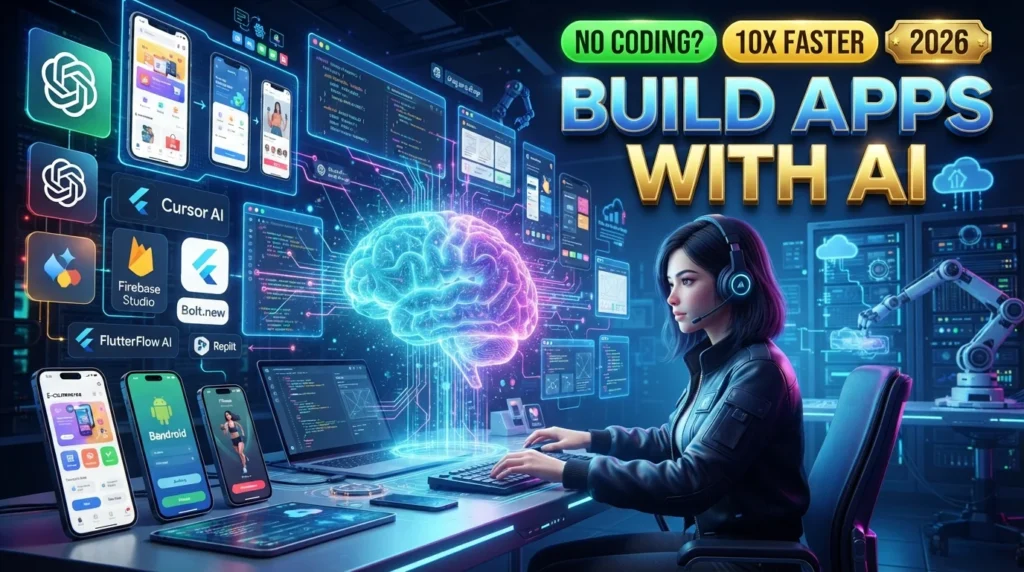
Mobile app development has become faster and more accessible thanks to Artificial Intelligence (AI). Whether you’re an experienced developer or a beginner with no coding experience, AI-powered tools can help you plan, design, code, test, and optimize mobile applications for Android and iOS.
AI can generate code, create user interfaces, suggest bug fixes, automate testing, and even help publish applications more efficiently. However, successful mobile apps still require human creativity, user research, testing, and thoughtful design. AI should be viewed as a productivity assistant rather than a replacement for software engineering skills.
In this guide, you’ll learn how to build mobile apps using AI, discover the best AI development tools, and explore practical strategies for creating high-quality mobile applications in 2026.
For more AI software reviews, coding tutorials, automation guides, and developer resources, visit:
Why Use AI for Mobile App Development?
AI streamlines many parts of the app development process.
AI can help with:
- App planning
- UI design
- Wireframes
- Code generation
- API integration
- Database design
- Bug detection
- Testing
- Documentation
- App optimization
This allows developers to spend more time solving business problems and improving the user experience.
Benefits of AI in App Development
Using AI provides several advantages.
Key Benefits
- Faster development
- Reduced coding effort
- Improved productivity
- Better code quality
- Faster debugging
- Easier prototyping
- Automated testing
- Better documentation
- Lower development costs
- Improved collaboration
Plan Your Mobile App
Before writing code, define your application.
Consider:
- Target audience
- Business goals
- Core features
- User flows
- Platform (Android, iOS, or both)
- Monetization strategy
- Security requirements
AI can assist with brainstorming and organizing ideas, but product decisions should be based on user needs and research.
Design the User Interface
AI design tools can generate:
- Wireframes
- UI layouts
- Icons
- Color palettes
- Component suggestions
- User journey ideas
Always review AI-generated designs to ensure accessibility, consistency, and a positive user experience.
Choose the Best AI Development Tools
Different AI tools support different stages of app development.
Popular tools include:
- ChatGPT
- GitHub Copilot
- Cursor AI
- Claude
- Google Gemini
- Firebase Studio (AI-assisted app development)
- Replit AI
- Bolt.new
- FlutterFlow AI
- Microsoft Copilot
Select tools based on your preferred programming language, framework, and workflow.
Select Your Development Framework
Popular frameworks include:
- Flutter
- React Native
- SwiftUI
- Kotlin
- Ionic
Choose a framework that aligns with your project’s goals, target platforms, and team expertise.
Generate Code with AI
AI can help generate:
- UI components
- Authentication
- Navigation
- API integration
- Database models
- State management
- Error handling
- Utility functions
Review all generated code for correctness, security, and maintainability.
Integrate APIs and Backend Services
AI can assist with:
- REST API integration
- GraphQL queries
- Firebase setup
- Authentication
- Push notifications
- Cloud storage
- Payment integration
Ensure sensitive data is handled securely and follow the documentation of the services you integrate.
Debug and Optimize Your App
AI coding assistants can:
- Identify bugs
- Explain errors
- Suggest performance improvements
- Optimize code
- Improve memory usage
- Detect inefficient algorithms
Testing remains essential to verify that suggestions work as intended.
Test Your Mobile Application
Comprehensive testing should include:
- Unit testing
- Integration testing
- UI testing
- Performance testing
- Device compatibility testing
- Security testing
- Accessibility testing
AI can generate test cases and suggest edge cases, but human validation is still required.
Publish Your App
Before releasing your application:
- Optimize performance
- Prepare screenshots
- Write store descriptions
- Create app icons
- Review permissions
- Test production builds
Follow the submission guidelines of the Apple App Store and Google Play.
Best AI Tools for Mobile App Development
ChatGPT
Best for:
- Code generation
- App planning
- Documentation
GitHub Copilot
Best for:
- Code completion
- IDE assistance
Cursor AI
Best for:
- AI-powered development
- Project-wide coding
Claude
Best for:
- Large code explanations
- Architecture discussions
Google Gemini
Best for:
- Research
- Coding assistance
Firebase Studio
Best for:
- AI-assisted app development
- Backend integration
Replit AI
Best for:
- Cloud development
- Rapid prototyping
Bolt.new
Best for:
- Full-stack AI-assisted development
- Rapid app generation
FlutterFlow AI
Best for:
- No-code and low-code Flutter apps
- Visual development
Microsoft Copilot
Best for:
- Enterprise productivity
- Microsoft ecosystem integration
Comparison Table
| AI Tool | Best For | Free Plan | AI Features |
|---|---|---|---|
| ChatGPT | App Planning | ✅ | ⭐⭐⭐⭐⭐ |
| GitHub Copilot | Coding | Trial | ⭐⭐⭐⭐⭐ |
| Cursor AI | Project Development | Limited | ⭐⭐⭐⭐⭐ |
| Claude | Architecture | Limited | ⭐⭐⭐⭐⭐ |
| Google Gemini | Development Support | ✅ | ⭐⭐⭐⭐ |
| Firebase Studio | Backend Development | Limited | ⭐⭐⭐⭐⭐ |
| Replit AI | Cloud Coding | Limited | ⭐⭐⭐⭐ |
| Bolt.new | Full-Stack Apps | Limited | ⭐⭐⭐⭐⭐ |
| FlutterFlow AI | No-Code Apps | Limited | ⭐⭐⭐⭐⭐ |
| Microsoft Copilot | Productivity | Limited | ⭐⭐⭐⭐ |
Best Practices for AI App Development
- Plan before coding
- Write clear AI prompts
- Review AI-generated code
- Follow secure coding practices
- Optimize app performance
- Test thoroughly
- Document your code
- Keep dependencies updated
Common Mistakes to Avoid
Avoid these mistakes:
- Publishing without testing
- Trusting AI-generated code blindly
- Ignoring app security
- Creating poor user experiences
- Overcomplicating the interface
- Skipping performance optimization
- Forgetting accessibility requirements
Benefits of AI for Mobile Developers
AI helps developers:
- Build apps faster
- Reduce repetitive coding
- Improve code quality
- Generate documentation
- Accelerate debugging
- Automate testing
- Increase productivity
- Focus on innovation
Final Verdict
AI has significantly improved the mobile app development process by helping developers design interfaces, generate code, automate testing, and streamline workflows. Tools such as ChatGPT, GitHub Copilot, Cursor AI, Claude, Google Gemini, Firebase Studio, Replit AI, Bolt.new, FlutterFlow AI, and Microsoft Copilot enable developers to build Android and iOS applications more efficiently.
Even with these capabilities, successful mobile apps still depend on thoughtful product planning, secure coding practices, thorough testing, and a strong understanding of user needs. AI is most effective when used as a collaborative assistant alongside human expertise.
Frequently Asked Questions
Can AI build an entire mobile app?
AI can generate significant portions of an app, including code, UI layouts, documentation, and tests. Most production-ready applications still require human oversight for architecture, design, security, and quality assurance.
Which AI tool is best for mobile app development?
The best tool depends on your workflow. GitHub Copilot is popular for coding, ChatGPT assists with planning and debugging, Cursor AI offers project-wide assistance, and FlutterFlow AI is useful for visual app development.
Can beginners build apps using AI?
Yes. AI can help beginners learn programming concepts, generate code examples, explain errors, and accelerate development. Learning the fundamentals of software development remains important for building reliable applications.
Does AI replace mobile developers?
No. AI automates repetitive tasks and speeds up development, but developers are still responsible for architecture, user experience, security, testing, and making informed technical decisions.
Internal Link
Explore more AI coding tools, app development tutorials, automation guides, and software engineering resources at:





