
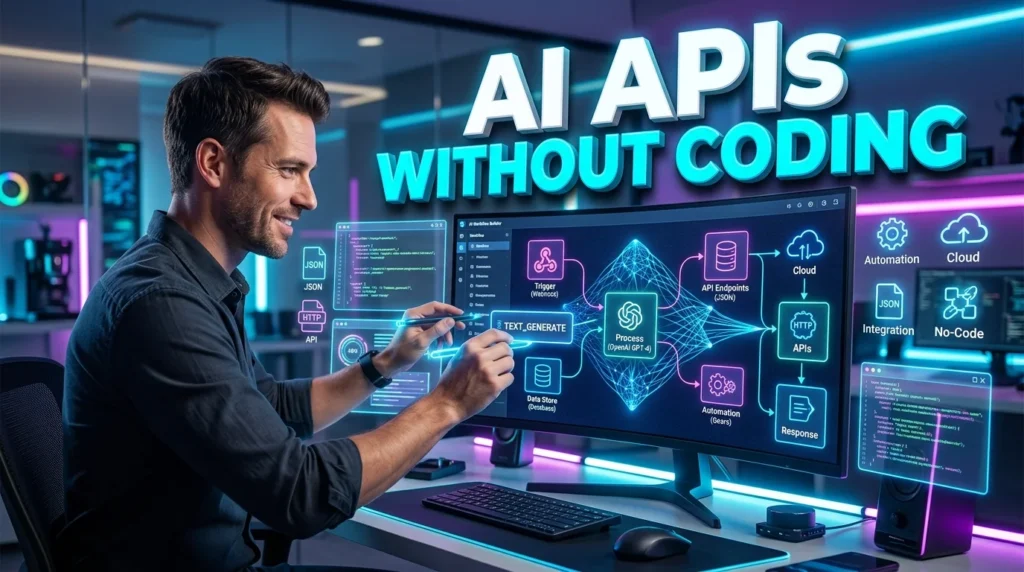
Artificial intelligence is becoming a core part of modern applications, but building AI-powered features traditionally required programming skills and extensive backend development. Today, no-code and low-code platforms make it possible for entrepreneurs, marketers, educators, and business owners to create AI APIs without writing code.
Whether you want to automate customer support, summarize documents, generate content, analyze images, or build AI-powered workflows, no-code AI API builders can help you launch faster while reducing development costs.
This guide explains how AI APIs work, the best no-code tools available, and the steps to build your first AI API.
What Is an AI API?
An AI API (Application Programming Interface) allows applications to communicate with an AI model. Instead of building machine learning models from scratch, developers and businesses send requests to an AI service and receive responses such as generated text, image analysis, translations, predictions, or recommendations.
For example, an AI API can:
- Generate blog content
- Answer customer questions
- Translate languages
- Summarize documents
- Analyze images
- Classify text
- Create product descriptions
- Generate code
No-code platforms simplify this process by providing visual interfaces where users configure inputs, outputs, and automation without programming.
Benefits of Creating AI APIs Without Coding
Using no-code AI API builders offers several advantages:
- Faster development
- Lower costs
- No programming knowledge required
- Easy integration with existing apps
- Rapid testing and deployment
- Scalable workflows
- Built-in automation
- Cloud-based infrastructure
These benefits allow businesses to adopt AI quickly and experiment with new ideas before investing in custom software.
How No-Code AI APIs Work
Most no-code AI platforms follow a similar workflow:
- Select an AI model or service.
- Configure prompts or input fields.
- Define the expected output.
- Connect external apps or databases.
- Publish the workflow as an API endpoint.
- Test the API with sample requests.
- Use the endpoint in websites, mobile apps, or automation platforms.
This visual approach eliminates much of the complexity involved in traditional API development.
Best No-Code Platforms for AI APIs
Several platforms allow users to build AI-powered APIs with minimal technical knowledge:
- Bubble
- Make
- Zapier
- n8n
- Retool
- FlutterFlow
- BuildShip
- Pipedream
Many of these services support integrations with popular AI providers, enabling users to create custom workflows and expose them as APIs.
Step 1: Define Your API’s Purpose
Before creating an API, determine what problem it will solve.
Common examples include:
- AI chatbot responses
- Email generation
- Product recommendation engine
- Image caption generator
- Document summarization
- Resume screening
- Sentiment analysis
- Customer support automation
A clear objective makes it easier to design an effective workflow.
Step 2: Choose an AI Model
Different AI models specialize in different tasks.
Examples include:
- Text generation
- Image recognition
- Speech-to-text
- Text-to-speech
- Translation
- Code generation
- Data extraction
Select a model that matches your application’s requirements while considering pricing, response quality, and supported features.
Step 3: Build Your Workflow
Most no-code builders provide drag-and-drop components.
Typical workflow steps include:
- Receive user input
- Validate the request
- Send data to the AI model
- Process the response
- Format the output
- Return the final result
You can also include conditional logic, branching, and multiple AI calls within the same workflow.
Step 4: Connect External Services
AI APIs become more useful when connected to other business tools.
Popular integrations include:
- CRM systems
- Google Sheets
- Email platforms
- Cloud storage
- Databases
- Messaging apps
- Project management software
- E-commerce platforms
These integrations allow AI to automate repetitive business processes across multiple systems.
Step 5: Publish the API
Once your workflow is complete, publish it as an API endpoint.
Most no-code platforms generate:
- API URL
- Authentication token
- Request examples
- Response format
- API documentation
This allows developers or connected applications to use the API immediately.
Step 6: Test Your API
Before deployment, verify that the API works correctly.
Test for:
- Response accuracy
- Error handling
- Invalid input
- Authentication
- Performance
- Response time
- Rate limits
Testing helps identify issues before users rely on the service.
Best Practices for No-Code AI APIs
Follow these recommendations to improve reliability:
- Keep prompts clear and specific.
- Validate user input.
- Protect API keys and credentials.
- Monitor usage and costs.
- Implement rate limiting.
- Log requests for troubleshooting.
- Update workflows regularly.
- Review AI-generated outputs before using them in critical applications.
These practices help create secure and dependable AI-powered services.
Common Mistakes to Avoid
Avoid these frequent errors:
- Choosing the wrong AI model
- Ignoring input validation
- Exposing private API keys
- Building overly complex workflows
- Skipping testing
- Forgetting authentication
- Not monitoring API usage
- Assuming AI responses are always accurate
Human oversight remains important, especially for business-critical or sensitive tasks.
Real-World Use Cases
No-code AI APIs are widely used across industries.
Customer Support
Automatically answer common questions using AI chatbots.
Marketing
Generate ad copy, email campaigns, and social media captions.
Education
Summarize lessons, create quizzes, and provide tutoring assistance.
Healthcare
Assist with documentation, scheduling, and administrative workflows while maintaining appropriate privacy safeguards.
E-commerce
Generate product descriptions, recommend products, and classify customer feedback.
Human Resources
Screen resumes, draft job descriptions, and automate interview scheduling.
Security Considerations
When creating AI APIs, prioritize security by:
- Using encrypted connections (HTTPS)
- Restricting API access
- Rotating API keys
- Implementing authentication
- Monitoring unusual activity
- Following data privacy regulations
- Limiting sensitive data sent to AI services
Security should be part of the design process from the beginning.
The Future of No-Code AI APIs
As AI platforms evolve, no-code API creation will become even more accessible.
Emerging trends include:
- AI agents managing workflows
- Voice-enabled APIs
- Multi-model AI orchestration
- Automatic workflow optimization
- Real-time business automation
- Visual AI application builders
These advances will enable businesses to launch sophisticated AI solutions with minimal technical expertise.
Conclusion
Creating AI APIs without coding has become an accessible way for businesses and individuals to integrate artificial intelligence into websites, applications, and workflows. By choosing the right no-code platform, defining a clear purpose, testing thoroughly, and following security best practices, you can build reliable AI-powered APIs without writing traditional code.
To discover more AI tutorials, automation guides, and productivity resources, visit https://aitrendshub.com.





