
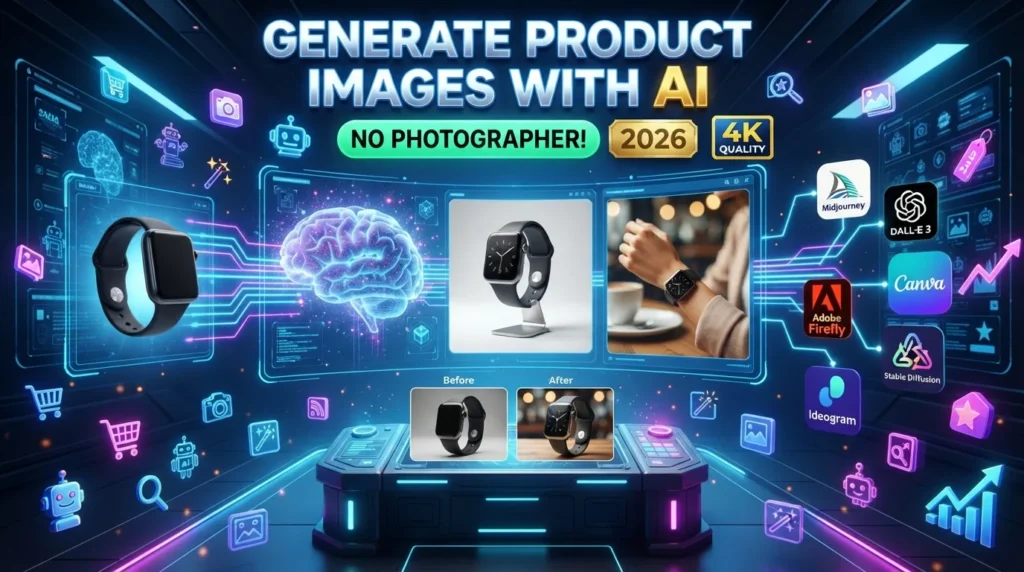
Professional product images are one of the biggest factors influencing online sales. Whether you sell products on Shopify, Amazon, Etsy, WooCommerce, or your own website, high-quality visuals help customers understand your products and build trust in your brand.
Traditional product photography often requires expensive equipment, studio lighting, photographers, and editing software. Artificial Intelligence (AI) has changed this process by allowing businesses to create realistic product images, remove backgrounds, generate lifestyle scenes, improve image quality, and create marketing visuals in minutes.
While AI can dramatically reduce production time and costs, businesses should always ensure that generated images accurately represent the products being sold. Misleading visuals can negatively impact customer trust and may violate marketplace policies.
In this guide, you’ll learn how to generate product images with AI, discover the best AI image generation tools, and explore practical techniques for creating professional eCommerce visuals in 2026.
For more AI software reviews, eCommerce tutorials, SEO guides, and business resources, visit:
Why Use AI for Product Images?
High-quality visuals increase customer confidence and improve the overall shopping experience.
AI can help generate:
- Product photography
- Lifestyle product images
- White background images
- Background removal
- AI-generated mockups
- Product advertisements
- Social media graphics
- Marketplace images
- Promotional banners
- Image enhancements
Instead of organizing expensive photo shoots, businesses can quickly create professional visuals using AI-powered tools.
Benefits of AI Product Image Generation
AI provides several advantages for online sellers.
Key Benefits
- Save photography costs
- Create professional visuals
- Generate images quickly
- Improve image quality
- Remove backgrounds automatically
- Create multiple image variations
- Scale product catalogs
- Support marketing campaigns
- Increase productivity
- Enhance customer engagement
Step 1: Choose the Right AI Image Generator
Several AI platforms specialize in image creation for eCommerce.
Popular options include:
- Midjourney
- DALL·E
- Adobe Firefly
- Leonardo AI
- Ideogram
- Canva AI
- Stable Diffusion
Each platform offers different strengths depending on your design requirements.
Step 2: Write a Detailed AI Prompt
The quality of your AI-generated image depends heavily on the prompt.
Include details such as:
- Product type
- Materials
- Colors
- Camera angle
- Lighting
- Background
- Style
- Resolution
- Brand aesthetic
Example prompt:
“Generate a realistic studio product photo of a matte black stainless steel insulated water bottle on a clean white background with soft shadows, premium lighting, ultra-high resolution, and commercial photography quality.”
The more specific your prompt, the better the generated image is likely to match your vision.
Step 3: Create Multiple Image Variations
AI can generate different versions of the same product.
Examples include:
- Front view
- Side view
- Close-up details
- Lifestyle scenes
- Packaging images
- Flat lay photography
- Seasonal themes
Multiple perspectives help customers better understand the product.
Step 4: Remove or Replace Backgrounds
Clean product backgrounds improve professionalism.
AI tools can:
- Remove backgrounds
- Replace backgrounds
- Create transparent images
- Generate branded scenes
- Add realistic environments
White backgrounds remain common for many online marketplaces, while lifestyle backgrounds are often useful for websites and social media.
Step 5: Generate Lifestyle Product Images
Lifestyle images help customers visualize products in real-world settings.
Examples include:
- Home interiors
- Office desks
- Kitchens
- Outdoor environments
- Fashion photography
- Travel scenes
Use realistic settings that accurately represent how the product is intended to be used.
Step 6: Enhance Image Quality
AI image enhancement tools can improve:
- Sharpness
- Resolution
- Color correction
- Lighting
- Noise reduction
- Object clarity
Review enhanced images to ensure they still accurately represent the product.
Step 7: Optimize Images for SEO
Image optimization can improve website performance and discoverability.
Best practices include:
- Descriptive file names
- Alt text
- Image compression
- Modern file formats
- Structured data
- Relevant captions
Optimized images support both user experience and search engine visibility.
Step 8: Review Before Publishing
Before uploading product images:
- Verify product accuracy
- Check colors
- Confirm proportions
- Remove visual artifacts
- Ensure branding consistency
- Test mobile appearance
- Follow marketplace guidelines
Human review remains essential to ensure images accurately represent the product.
Best AI Tools for Product Images
Midjourney
Best for:
- Premium AI artwork
- Product marketing visuals
DALL·E
Best for:
- Product concepts
- Commercial image generation
Adobe Firefly
Best for:
- Marketing graphics
- Creative editing
Leonardo AI
Best for:
- Product renders
- Realistic commercial images
Canva AI
Best for:
- Marketing graphics
- Social media content
Ideogram
Best for:
- Typography
- Promotional graphics
Stable Diffusion
Best for:
- Open-source customization
- Advanced workflows
Comparison Table
| AI Tool | Best For | Free Plan | AI Features |
|---|---|---|---|
| Midjourney | Product Visuals | No | ⭐⭐⭐⭐⭐ |
| DALL·E | Product Images | Limited | ⭐⭐⭐⭐⭐ |
| Adobe Firefly | Creative Editing | Limited | ⭐⭐⭐⭐ |
| Leonardo AI | Product Rendering | Limited | ⭐⭐⭐⭐⭐ |
| Canva AI | Marketing Design | ✅ | ⭐⭐⭐⭐ |
| Ideogram | Typography Graphics | Limited | ⭐⭐⭐⭐ |
| Stable Diffusion | Advanced Users | Open Source | ⭐⭐⭐⭐⭐ |
Best Practices for AI Product Images
- Use detailed prompts
- Maintain consistent branding
- Generate multiple variations
- Optimize for web performance
- Include realistic lighting
- Test images across devices
- Follow marketplace image guidelines
- Review AI-generated outputs carefully
Common Mistakes to Avoid
Avoid these common mistakes:
- Using unrealistic product visuals
- Publishing AI images without review
- Ignoring marketplace image requirements
- Creating misleading product representations
- Over-editing images
- Using inconsistent branding
- Forgetting SEO optimization
Benefits of AI for eCommerce Businesses
AI helps businesses:
- Save production costs
- Increase productivity
- Create professional visuals
- Improve marketing campaigns
- Scale product catalogs
- Enhance customer experience
- Support global expansion
- Speed up content creation
Final Verdict
AI has transformed product photography by making professional-quality visuals accessible to businesses of all sizes. Tools such as Midjourney, DALL·E, Adobe Firefly, Leonardo AI, Canva AI, Ideogram, and Stable Diffusion help create high-quality product images, lifestyle photography, promotional graphics, and marketing assets more efficiently.
However, AI-generated images should always be reviewed to ensure they accurately represent the products being sold. Combining AI with thoughtful design, consistent branding, and honest product representation helps build customer trust and supports long-term business growth.
Frequently Asked Questions
Can AI generate realistic product images?
Yes. Modern AI image generators can create realistic product photography, mockups, and lifestyle scenes. Always review the results to ensure they accurately reflect the actual product.
Which AI tool is best for product images?
The best choice depends on your goals. Midjourney and Leonardo AI are popular for high-quality renders, DALL·E is versatile for concept generation, Adobe Firefly integrates well with creative workflows, and Canva AI is convenient for marketing graphics.
Can AI replace product photography?
AI can reduce the need for traditional photography in many situations, but businesses should evaluate whether AI-generated images meet their accuracy requirements and comply with marketplace policies. Some products may still benefit from real photographs.
Is AI suitable for small eCommerce businesses?
Yes. AI tools allow small businesses to create professional product images without investing in expensive photography equipment or studio setups.
Internal Link
Explore more AI tools, image generation guides, eCommerce tutorials, SEO strategies, and business automation resources at:





