
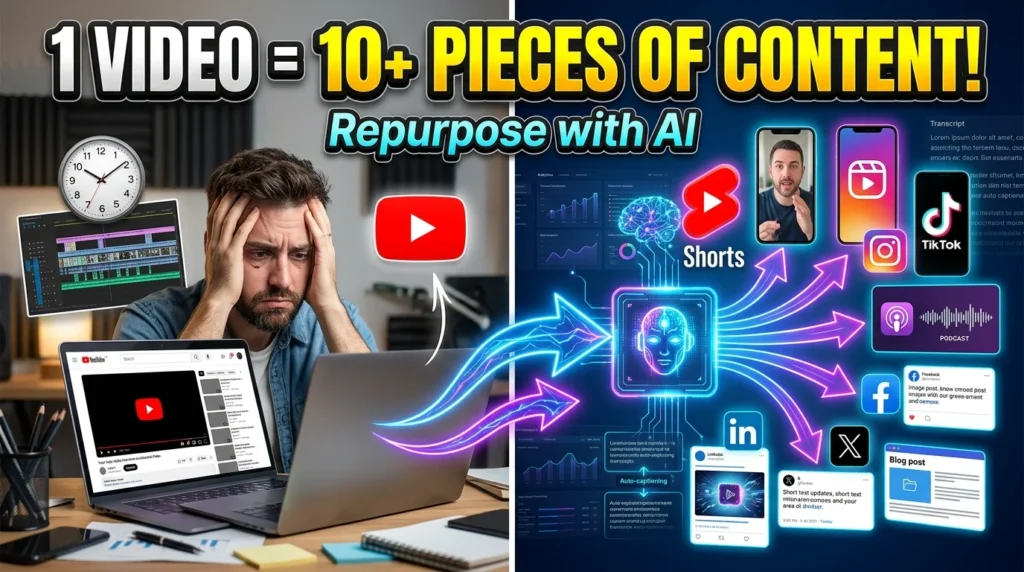
Creating high-quality videos takes time, but you don’t need to create new content for every platform. AI-powered repurposing tools can transform one long-form video into multiple content formats, helping you reach more people while reducing production time.
For example, a 30-minute YouTube video can become several YouTube Shorts, Instagram Reels, TikTok videos, blog articles, podcast clips, social media posts, and email newsletters.
In this guide, you’ll learn how to repurpose videos with AI, the best tools available, and practical strategies for maximizing the value of every video you create.
What Is Video Repurposing?
Video repurposing means adapting one piece of content into multiple formats for different platforms.
A single webinar or tutorial can become:
- YouTube Shorts
- Instagram Reels
- TikTok videos
- LinkedIn posts
- Blog articles
- X (Twitter) threads
- Facebook videos
- Podcast episodes
- Email newsletters
- Infographics
This approach helps you reach audiences who prefer different types of content.
Benefits of Repurposing Videos with AI
AI makes content repurposing faster and more efficient by:
- Saving editing time
- Increasing content output
- Reaching multiple audiences
- Improving return on content investment
- Maintaining consistent branding
- Automating repetitive editing tasks
- Identifying highlight moments
- Creating platform-specific formats
Step 1: Choose Your Source Video
Start with content that offers lasting value.
Examples include:
- Tutorials
- Podcasts
- Interviews
- Product demonstrations
- Educational lessons
- Webinars
- Case studies
- Reviews
- Conference presentations
- Live streams
Evergreen content often provides the greatest long-term repurposing opportunities.
Step 2: Generate a Transcript
AI transcription creates a text version of your video.
A transcript can be reused for:
- Blog posts
- Captions
- Social media posts
- Email newsletters
- Video summaries
- Searchable documentation
Review the transcript for accuracy before publishing.
Step 3: Find the Best Highlights
Many AI tools automatically identify engaging moments.
Look for:
- Key insights
- Memorable quotes
- Actionable tips
- Frequently asked questions
- Demonstrations
- Strong hooks
- Conclusions
These clips are often well suited for short-form platforms.
Step 4: Create Short-Form Videos
Convert long videos into vertical clips for:
- YouTube Shorts
- TikTok
- Instagram Reels
- Facebook Reels
AI can automatically:
- Crop videos to vertical format
- Track speakers
- Add captions
- Remove silent pauses
- Highlight important moments
Always review the output to ensure the edits fit the platform and your message.
Step 5: Turn Videos into Blog Articles
AI can convert transcripts into well-structured articles.
A typical workflow:
- Generate the transcript.
- Organize key points.
- Add headings.
- Include examples.
- Optimize for SEO.
- Proofread and edit.
Human editing ensures the final article is accurate, readable, and aligned with your brand voice.
Step 6: Create Social Media Content
One video can generate numerous social posts.
Examples include:
- LinkedIn summaries
- X (Twitter) threads
- Facebook updates
- Instagram captions
- Carousel posts
- Quote graphics
Customize each post for the audience and format of the platform instead of posting identical content everywhere.
Step 7: Generate Podcast Content
If your video is discussion-based, AI can help convert it into a podcast.
Enhance the audio by:
- Reducing background noise
- Balancing volume
- Removing filler words
- Adding an intro and outro
Ensure you have the necessary rights for any music or third-party content used.
Step 8: Add Captions and Subtitles
Captions improve accessibility and engagement.
Benefits include:
- Better comprehension
- Accessibility for more viewers
- Easier viewing without sound
- Support for multilingual audiences
- Improved user experience
Review AI-generated captions to correct names, technical terms, and timing.
Step 9: Optimize for Each Platform
Every platform has different content preferences.
YouTube
- Long-form videos
- Search-focused titles
- Chapters
- SEO descriptions
TikTok
- Short videos
- Fast pacing
- Strong opening hook
- Vertical videos
- Captions
- Consistent branding
- Educational insights
- Professional tone
- Industry relevance
Adapting content increases its effectiveness on each platform.
Best AI Tools for Video Repurposing
Several AI tools can assist with repurposing workflows:
- Opus Clip
- Munch
- Klap
- Vizard
- Descript
- VEED
- Kapwing
- Riverside
- Wisecut
- Adobe Express
Compare tools based on supported platforms, editing features, caption quality, language support, and export options.
Best Practices
For effective repurposing:
- Start with high-quality source videos.
- Maintain consistent branding.
- Tailor content to each platform.
- Verify AI-generated edits.
- Use clear captions.
- Keep short-form videos concise.
- Analyze platform-specific performance.
Common Mistakes to Avoid
Avoid these common issues:
- Publishing the same edit everywhere without adjustments
- Ignoring aspect ratio requirements
- Using inaccurate AI captions
- Over-editing clips
- Removing important context
- Not reviewing AI-generated outputs
- Neglecting platform-specific audience expectations
AI Prompt Examples
Generate content more efficiently with prompts like:
Summarize this 30-minute YouTube video into a 1,500-word SEO-friendly blog article.Create 10 YouTube Shorts ideas from this transcript.Identify the five most engaging moments in this webinar for TikTok clips.Rewrite this video transcript into a LinkedIn article and an X (Twitter) thread.Why Repurposing Matters
Repurposing allows creators to:
- Extend the lifespan of content
- Reach new audiences
- Increase engagement
- Save production time
- Improve marketing efficiency
- Build a consistent publishing schedule
Instead of creating new material for every channel, you maximize the value of content you’ve already produced.





