
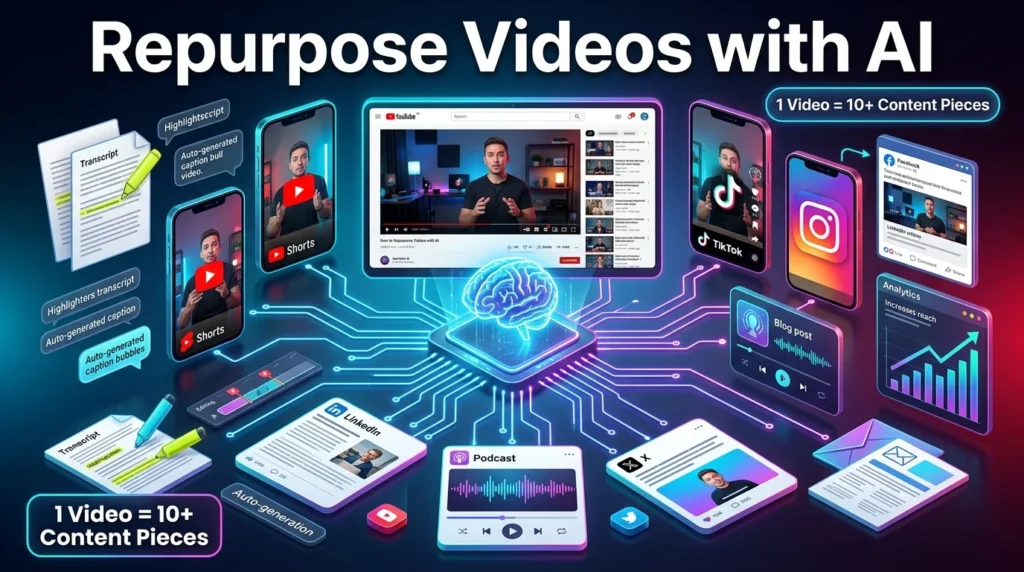
Creating high-quality videos takes time, effort, and resources. Instead of letting a single video reach only one audience, you can repurpose it into multiple formats and distribute it across different platforms. AI-powered tools make this process faster by automatically identifying key moments, generating captions, creating transcripts, and adapting content for various channels.
Repurposing content helps you maximize the value of every video while maintaining a consistent publishing schedule. This guide explains how to use AI to transform one video into many pieces of content.
Why Repurpose Videos?
Repurposing extends the lifespan of your content and allows you to reach audiences who prefer different formats.
Benefits include:
- Increase content output without creating everything from scratch.
- Reach users across multiple platforms.
- Save time on editing and production.
- Improve return on your content investment.
- Strengthen brand consistency.
- Expand audience engagement.
A single well-produced video can generate weeks of additional content.
Step 1: Choose a High-Quality Source Video
Start with a video that provides lasting value.
Good candidates include:
- Tutorials
- Webinars
- Podcasts
- Interviews
- Product demonstrations
- Educational videos
- Case studies
- Industry discussions
Evergreen content often delivers the best long-term results when repurposed.
Step 2: Generate a Transcript
Most AI repurposing tools begin by creating a transcript.
Review it for:
- Technical terms
- Brand names
- Speaker names
- Dates
- Numbers
- Industry-specific language
An accurate transcript improves the quality of summaries, captions, and clips.
Step 3: Identify Key Moments
AI can analyze your video and detect the most engaging sections.
These may include:
- Practical tips
- Important quotes
- Demonstrations
- Frequently asked questions
- Success stories
- Memorable insights
These highlights can become standalone content for other platforms.
Step 4: Create Short-Form Videos
One long video can become multiple short clips for:
- YouTube Shorts
- TikTok
- Instagram Reels
- Facebook Reels
- LinkedIn video posts
AI tools can automatically crop videos, add captions, and optimize them for vertical viewing.
Step 5: Turn Videos into Written Content
AI can convert your transcript into:
- Blog posts
- Tutorials
- Newsletters
- Social media posts
- LinkedIn articles
- X (Twitter) threads
- Email campaigns
- FAQs
This helps you reach audiences who prefer reading over watching.
Step 6: Generate Social Media Content
Use AI to create promotional material from your video.
Examples include:
- Captions
- Quotes
- Carousel posts
- Poll questions
- Discussion prompts
- Video summaries
Tailor each post to the platform where it will be published.
Step 7: Optimize Every Version
Each platform has different best practices.
Consider:
- Aspect ratio
- Video length
- Thumbnail
- Captions
- Keywords
- Hashtags
- Call-to-action
Optimizing each version increases the likelihood of reaching the right audience.
Best AI Tools for Video Repurposing
Several AI tools simplify different parts of the workflow:
AI Content Writing
- ChatGPT
- Claude
- Gemini
Video Repurposing
- Opus Clip
- Vidyo.ai
- Munch
- Vizard
Video Editing
- CapCut
- DaVinci Resolve
- Adobe Premiere Pro
Transcription
- Descript
- Otter.ai
- Notta
Each tool supports different tasks, from clipping videos to generating written content.
Example AI Prompt
You are a content marketing strategist.

Analyze this YouTube transcript and create:

- 10 YouTube Shorts ideas
- 5 LinkedIn posts
- 10 X (Twitter) posts
- 1 SEO blog outline
- 5 Instagram captions
- 10 content hooks

Keep the messaging clear, engaging, and platform-specific.
Common Mistakes to Avoid
Avoid these common issues:
- Posting identical content on every platform.
- Ignoring platform-specific formatting.
- Leaving AI-generated captions unedited.
- Using clips without context.
- Choosing low-quality source videos.
- Forgetting to include a call-to-action.
Small adjustments for each platform can significantly improve performance.
Tips for Better AI Video Repurposing
- Create evergreen videos whenever possible.
- Record with high-quality audio.
- Use clear section breaks to simplify clipping.
- Add captions to improve accessibility.
- Review AI-generated content before publishing.
- Monitor analytics to identify which formats perform best.
Repurposing is most effective when combined with ongoing performance analysis.
Final Thoughts
AI has made video repurposing more efficient by automating transcription, clipping, caption generation, and content creation. Instead of producing new material for every platform, creators can transform one video into a complete content ecosystem.
While AI reduces repetitive work, thoughtful editing and platform-specific optimization remain essential for creating engaging, high-quality content that resonates with different audiences.





