
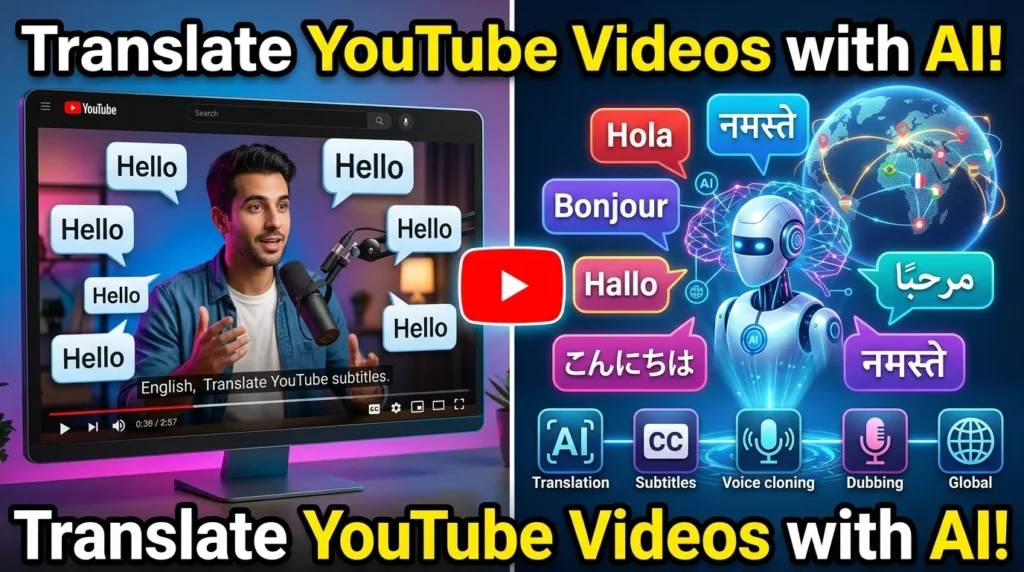
The internet has made it possible for creators to reach audiences across the globe, but language barriers often limit a video’s potential. AI-powered translation tools now make it easier to translate YouTube videos into multiple languages by generating subtitles, translating scripts, and even creating natural-sounding dubbed voiceovers.
Instead of producing separate videos for each language, creators can use AI to localize their content while maintaining consistency and reducing production time.
In this guide, you’ll learn how to translate YouTube videos with AI, choose the right tools, and optimize multilingual content for international viewers.
Why Translate YouTube Videos?
Translating videos can help you:
- Reach international audiences
- Increase watch time
- Improve subscriber growth
- Expand brand awareness
- Boost search visibility in multiple languages
- Make educational content more accessible
- Increase monetization opportunities
Many successful YouTube channels publish content in several languages to serve viewers worldwide.
How AI Translates YouTube Videos
Most AI translation platforms follow a similar workflow:
- Convert speech into text (transcription)
- Translate the transcript into another language
- Generate subtitles
- Create AI-generated voiceovers or dubbed audio
- Synchronize the translated audio with the video
Some advanced platforms also support AI voice cloning, allowing translated speech to resemble the original speaker’s voice.
Step 1: Upload Your Video
Begin by uploading your completed YouTube video to an AI translation platform.
Most tools support formats such as:
- MP4
- MOV
- AVI
- MKV
For best results:
- Use high-quality audio
- Reduce background noise
- Speak clearly
- Avoid overlapping dialogue
Step 2: Generate an Accurate Transcript
The AI first converts spoken words into text.
Review the transcript and correct:
- Names
- Technical terms
- Product names
- Acronyms
- Numbers
- Dates
Accurate transcripts lead to better translations.
Step 3: Choose Target Languages
Select the languages you want to support.
Popular choices include:
- Spanish
- French
- German
- Portuguese
- Hindi
- Arabic
- Japanese
- Korean
- Chinese
- Italian
Prioritize languages based on your audience analytics and market goals.
Step 4: Translate the Script
AI translates the transcript into your chosen languages.
Although modern AI is highly capable, review translations for:
- Context
- Cultural nuances
- Industry-specific terminology
- Brand voice
- Grammar
Human review is especially important for technical, legal, or medical content.
Step 5: Generate AI Voiceovers
Many AI platforms can create realistic dubbed audio.
Features may include:
- Natural pronunciation
- Multiple voice styles
- Male and female voices
- Accent selection
- Adjustable speaking speed
- Emotion controls
- Voice cloning (where supported)
Choose a voice that fits your audience and content style.
Step 6: Create Multilingual Subtitles
Subtitles improve accessibility and engagement.
Benefits include:
- Better viewer understanding
- Support for silent viewing
- Improved accessibility
- Additional keyword visibility
- Easier localization
Review subtitle timing and formatting before publishing.
Step 7: Synchronize Audio and Video
After translation, ensure the new voiceover matches the visuals.
Check:
- Lip-sync (if applicable)
- Scene timing
- Text overlays
- On-screen graphics
- Background music levels
Minor adjustments may be needed to maintain a smooth viewing experience.
Step 8: Optimize for International SEO
When publishing translated videos, optimize:
Titles
Use keywords relevant to the target language.
Descriptions
Write localized descriptions instead of relying on direct machine translations.
Thumbnails
Keep text minimal or adapt it to the target language.
Tags
Use localized keywords where appropriate.
Playlists
Organize translated videos into language-specific playlists.
Best AI Tools for Translating YouTube Videos
Several AI tools support video translation and localization:
- ElevenLabs
- HeyGen
- Rask AI
- Dubverse
- VEED
- Kapwing
- Descript
- Synthesia
- Maestra AI
- Wondershare Virbo
Compare features such as supported languages, subtitle editing, voice quality, and export options before choosing a platform.
Best Practices
To create high-quality multilingual videos:
- Use clear audio recordings.
- Review AI-generated transcripts.
- Edit translations for accuracy.
- Maintain consistent branding.
- Test voiceovers before publishing.
- Optimize each language version for search.
- Monitor audience engagement by language.
Common Mistakes to Avoid
Avoid these issues:
- Publishing without reviewing translations
- Poor subtitle synchronization
- Using low-quality audio
- Ignoring cultural context
- Overusing literal translations
- Forgetting to localize titles and descriptions
- Choosing unnatural AI voices
AI Prompt Examples
Generate ideas and workflows with prompts like:
Translate this YouTube script into Spanish while keeping the tone conversational.Rewrite this transcript for a French-speaking audience using natural expressions.Create subtitles for this educational YouTube video in German.Suggest localized YouTube titles for this video in Japanese.Benefits of AI Video Translation
AI translation can help creators:
- Expand globally
- Reach new markets
- Increase engagement
- Save production time
- Publish multilingual content more efficiently
- Improve accessibility
- Grow channel revenue opportunities
When combined with human review, AI provides a practical way to scale content across languages.
Final Thoughts
AI has made translating YouTube videos faster and more accessible than ever. By combining automated transcription, translation, subtitles, and AI-generated voiceovers, creators can reach audiences far beyond their native language.
For the best results, treat AI as a productivity tool rather than a replacement for quality control. Review translations, ensure cultural relevance, and optimize each language version for search and viewer experience. A thoughtful localization strategy can help your content connect with a wider global audience.
For more AI tutorials, creator guides, and productivity tips, visit https://aitrendshub.com.





