
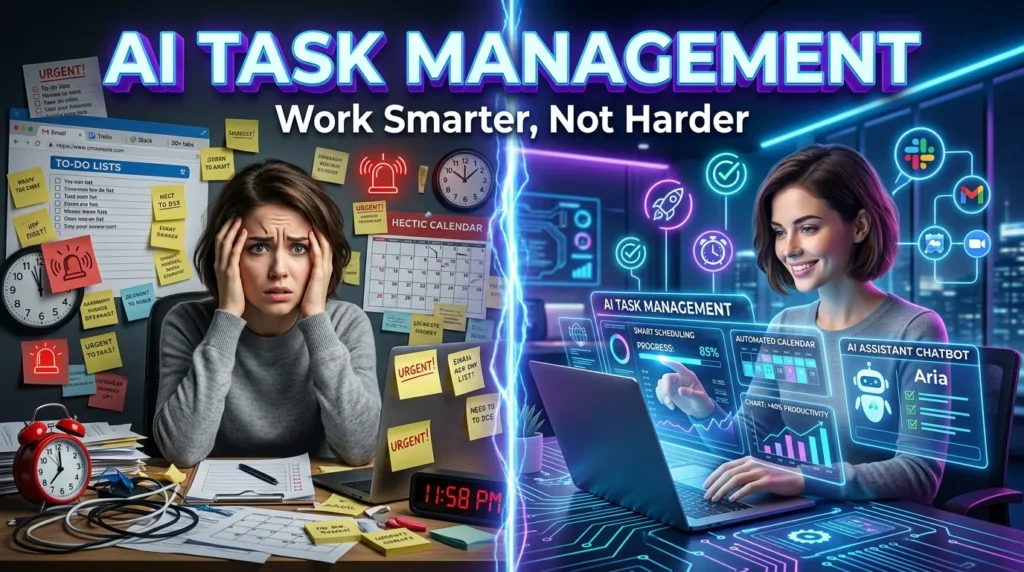
Managing dozens of daily tasks can quickly become overwhelming. Between emails, meetings, deadlines, and personal responsibilities, staying organized requires more than a traditional to-do list. That’s where AI for task management comes in.
Artificial intelligence can automatically prioritize tasks, schedule your day, create reminders, summarize meetings, estimate completion times, and even recommend what you should work on next based on urgency and workload. Modern AI task managers reduce manual planning so you can focus on completing meaningful work rather than organizing it.
Whether you’re a student, freelancer, entrepreneur, or part of a large team, AI-powered productivity tools can significantly improve your workflow.
For more AI productivity guides and software comparisons, visit https://aitrendshub.com.
What Is AI Task Management?
AI task management uses machine learning and automation to help organize, prioritize, schedule, and monitor your daily work.
Unlike traditional task management apps, AI tools can:
- Prioritize tasks automatically
- Create subtasks from large projects
- Estimate completion times
- Suggest optimal schedules
- Generate reminders
- Summarize meetings into action items
- Identify bottlenecks before deadlines are missed
Benefits of Using AI for Task Management
1. Automatically Prioritize Tasks
Instead of deciding what to work on first, AI analyzes deadlines, urgency, dependencies, and workload to recommend the highest-priority tasks.
2. Break Large Projects into Smaller Steps
Large projects often feel overwhelming.
AI can instantly generate:
- Milestones
- Subtasks
- Checklists
- Daily action plans
This makes complex work much easier to manage.
3. Smart Scheduling
Many AI productivity tools automatically:
- Find free calendar slots
- Reschedule delayed work
- Balance workloads
- Reduce scheduling conflicts
4. Automate Repetitive Work
AI can automate:
- Reminder creation
- Status updates
- Follow-up emails
- Meeting summaries
- Progress reports
Saving several hours every week.
5. Reduce Mental Overload
Instead of remembering dozens of pending tasks, AI keeps everything organized while recommending the next best action based on your priorities.
Best Ways to Use AI for Task Management
Organize Your To-Do List
Paste your entire task list into an AI assistant and ask it to:
- Remove duplicates
- Categorize tasks
- Group similar work
- Highlight urgent items
Prioritize Daily Work
Example prompt:
“Rank these tasks by urgency, deadline, and impact, then create today’s work plan.”
Generate Project Plans
AI can transform a simple goal like:
“Launch my business website”
into a complete project plan with:
- Research
- Design
- Development
- Testing
- Marketing
- Launch checklist
Convert Meeting Notes into Tasks
Instead of manually reviewing meeting notes, AI can:
- Extract action items
- Assign priorities
- Create deadlines
- Generate follow-up summaries
Plan Your Entire Week
AI can create balanced weekly schedules by considering:
- Available work hours
- Deadlines
- Personal commitments
- Task complexity
Best AI Tools for Task Management
Some popular AI-powered productivity tools include:
- ChatGPT
- Motion
- Notion AI
- ClickUp AI
- Asana AI
- Trello AI
- Microsoft Copilot
- Todoist AI integrations
Each tool offers different strengths, from intelligent scheduling to project planning and workflow automation.
Example AI Task Management Workflow
Imagine you’re launching a blog.
Instead of manually planning everything:
Step 1: Ask AI to create the project roadmap.
Step 2: Generate weekly milestones.
Step 3: Break milestones into daily tasks.
Step 4: Prioritize work automatically.
Step 5: Schedule everything on your calendar.
Step 6: Generate daily progress summaries.
This workflow dramatically reduces planning time while keeping projects organized.
Best AI Prompts for Task Management
Here are some useful prompts:
- “Organize my to-do list by priority.”
- “Create a project timeline from these goals.”
- “Turn these meeting notes into action items.”
- “Estimate how long each task will take.”
- “Plan my workday based on my calendar.”
- “Suggest which task I should complete first.”
- “Generate a weekly productivity schedule.”
- “Break this project into manageable subtasks.”
Common Mistakes to Avoid
Avoid relying on AI without reviewing its suggestions.
Some common mistakes include:
- Ignoring task priorities
- Not updating completed work
- Overloading your schedule
- Accepting AI estimates without adjustment
- Using multiple disconnected productivity apps
AI works best when paired with accurate task information and periodic human review.
The Future of AI Task Management
AI task management is evolving beyond simple reminders.
Modern systems can:
- Predict scheduling conflicts
- Recommend focus sessions
- Analyze productivity habits
- Detect project risks
- Automatically optimize calendars
- Coordinate work across multiple applications
As AI assistants become more capable, they will increasingly act as proactive productivity partners rather than passive task lists.
Final Thoughts
Learning how to use AI for task management can significantly improve productivity by automating routine planning, prioritizing work, and organizing complex projects. Instead of spending time managing your to-do list, AI helps you focus on completing high-value tasks.
Whether you’re managing personal goals, freelance projects, or business operations, integrating AI into your daily workflow can save time, reduce stress, and help you stay organized.
For more AI productivity tips, software reviews, and automation guides, explore https://aitrendshub.com.





