Excellent customer support is one of the biggest factors that influences customer satisfaction and brand loyalty. However, providing fast, consistent, and around-the-clock support can be challenging—especially for startups and small businesses with limited resources.
Artificial Intelligence (AI) has transformed customer support by automating repetitive tasks, answering common questions, assisting support agents, and improving response times. Rather than replacing human support teams, AI works alongside them to handle routine inquiries while allowing agents to focus on more complex customer issues.
In this guide, you’ll learn how to use AI for customer support, explore the best AI customer service tools, and discover practical strategies for improving customer experience in 2026.
For more AI software reviews, business guides, marketing tutorials, and productivity resources, visit:
What Is AI Customer Support?
AI customer support uses artificial intelligence to help businesses respond to customer inquiries, automate workflows, and improve service quality.
AI can assist with:
- Live chat
- Chatbots
- Email responses
- Ticket routing
- Knowledge base search
- Appointment scheduling
- Frequently asked questions (FAQs)
- Order tracking
- Customer insights
- Support analytics
AI is most effective when used to automate repetitive tasks while enabling human agents to handle complex, sensitive, or high-value interactions.
Benefits of AI for Customer Support
AI offers several advantages for businesses of all sizes.
Key Benefits
- Faster response times
- 24/7 customer availability
- Lower support costs
- Reduced workload for agents
- Improved consistency
- Better customer satisfaction
- Scalable support operations
- Personalized interactions
- Faster ticket resolution
- Valuable business insights
Step 1: Identify Repetitive Support Tasks
Before implementing AI, review your support data to identify tasks that consume the most time.
Common examples include:
- Password resets
- Shipping updates
- Refund policies
- Product information
- Business hours
- Appointment booking
- Account verification
- Frequently asked questions
These routine requests are ideal candidates for automation.
Step 2: Implement an AI Chatbot
AI chatbots provide instant responses to common customer questions.
They can:
- Answer FAQs
- Recommend products
- Collect customer information
- Schedule appointments
- Track orders
- Qualify leads
- Route customers to the appropriate department
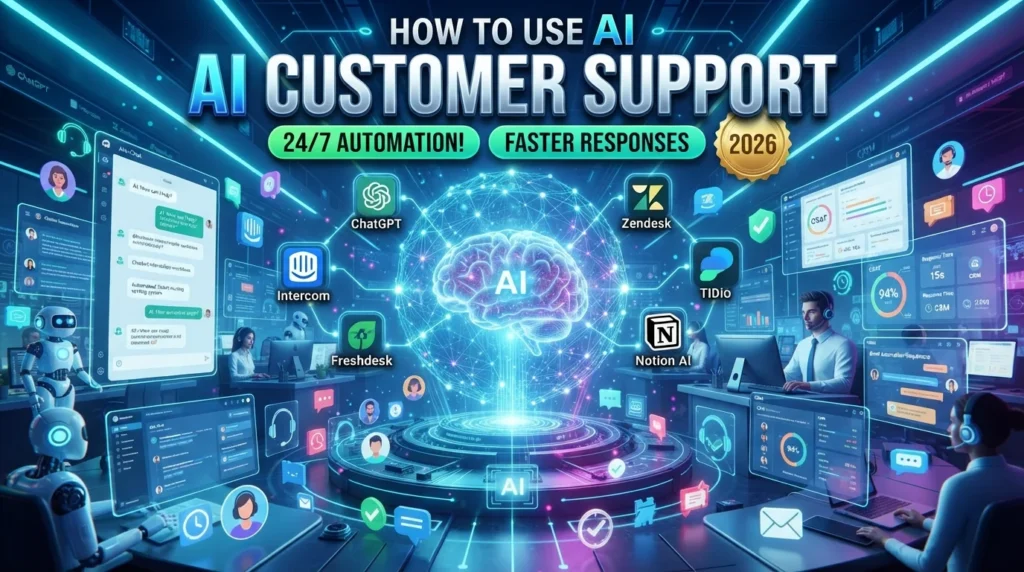
Popular AI chatbot platforms include:
- ChatGPT
- Intercom AI
- Zendesk AI
- Tidio AI
- Freshdesk AI
Configure escalation rules so that customers can quickly reach a human agent when needed.
Step 3: Automate Email Support
AI can draft responses to routine emails such as:
- Shipping inquiries
- Billing questions
- Subscription requests
- Account updates
- Service confirmations
Support staff should review AI-generated responses before sending them, particularly for complex or sensitive issues.
Step 4: Build an AI Knowledge Base
A searchable knowledge base allows customers to find answers independently.
Include articles covering:
- Product setup
- Troubleshooting
- Billing information
- Return policies
- User guides
- Frequently asked questions
AI search features help customers locate relevant articles more quickly.
Step 5: Use AI for Ticket Routing
AI can automatically categorize incoming support requests based on:
- Topic
- Priority
- Customer history
- Language
- Sentiment
- Urgency
This helps route tickets to the most appropriate support agent, improving efficiency and response times.
Step 6: Personalize Customer Interactions
AI can use customer information to provide more relevant support.
Examples include:
- Purchase history
- Previous conversations
- Subscription level
- Product preferences
- Account status
Personalization should respect applicable privacy regulations and customer consent requirements.
Step 7: Monitor Customer Sentiment
Some AI tools analyze customer messages to identify sentiment, helping support teams prioritize urgent or dissatisfied customers.
Sentiment analysis can indicate whether a conversation is:
- Positive
- Neutral
- Frustrated
- Urgent
This can assist with prioritization but should not replace human judgment.
Step 8: Analyze Support Performance
AI analytics can help monitor:
- First response time
- Resolution time
- Customer satisfaction (CSAT)
- Ticket volume
- Escalation rate
- Agent productivity
- Common support topics
Use these insights to identify opportunities for process improvements.
Best AI Customer Support Tools
ChatGPT
Best for:
- Customer conversations
- FAQ responses
- Drafting support content
Intercom AI
Best for:
- Customer messaging
- Live chat
- AI assistants
Zendesk AI
Best for:
- Enterprise customer support
- Ticket management
Freshdesk AI
Best for:
- Help desk automation
- Ticket routing
Tidio AI
Best for:
- Small business chatbots
- Live customer support
HubSpot AI
Best for:
- CRM integration
- Customer relationship management
Notion AI
Best for:
- Internal knowledge bases
- Team documentation
Comparison Table
| AI Tool | Best For | Free Plan | AI Features |
|---|---|---|---|
| ChatGPT | Customer Conversations | ✅ | ⭐⭐⭐⭐⭐ |
| Intercom AI | Live Chat | Trial | ⭐⭐⭐⭐⭐ |
| Zendesk AI | Enterprise Support | Trial | ⭐⭐⭐⭐⭐ |
| Freshdesk AI | Help Desk | Trial | ⭐⭐⭐⭐ |
| Tidio AI | Small Business Chatbots | ✅ | ⭐⭐⭐⭐ |
| HubSpot AI | CRM | Limited | ⭐⭐⭐⭐⭐ |
| Notion AI | Knowledge Management | Limited | ⭐⭐⭐⭐ |
Best Practices for AI Customer Support
- Automate repetitive questions first
- Always provide an option to reach a human agent
- Review AI-generated responses regularly
- Keep your knowledge base up to date
- Train AI using real customer questions
- Monitor customer satisfaction metrics
- Protect customer data and privacy
- Continuously improve AI workflows based on feedback
Common Mistakes to Avoid
Avoid these mistakes:
- Over-automating every interaction
- Making it difficult to contact a human representative
- Publishing inaccurate AI-generated responses
- Ignoring customer feedback
- Failing to update chatbot knowledge
- Neglecting privacy and security requirements
- Not measuring support performance
Benefits of AI Customer Support
AI helps businesses:
- Reduce response times
- Improve customer satisfaction
- Lower operational costs
- Increase support availability
- Enhance agent productivity
- Scale customer service efficiently
- Provide more consistent responses
- Deliver data-driven insights
Final Verdict
AI has become a valuable tool for improving customer support by automating repetitive tasks, accelerating response times, and helping support teams work more efficiently. Platforms such as ChatGPT, Intercom AI, Zendesk AI, Freshdesk AI, Tidio AI, HubSpot AI, and Notion AI enable businesses to provide faster and more consistent service while maintaining a human touch.
The most effective customer support strategies combine AI automation with skilled human agents. Use AI to handle routine requests, but ensure customers can easily reach a person when they need personalized assistance or complex problem-solving.
Frequently Asked Questions
Can AI replace customer support agents?
AI is best used to assist customer support teams rather than replace them. It can automate routine tasks, while human agents remain essential for handling complex, emotional, or high-priority customer interactions.
Which AI tool is best for customer support?
The best tool depends on your business needs. ChatGPT is useful for conversational support, Intercom AI excels at live messaging, Zendesk AI supports enterprise help desks, and Tidio AI is a strong option for small businesses.
Can AI answer customer emails?
Yes. AI can draft responses to common inquiries, but support teams should review messages for accuracy and appropriateness before sending them.
Is AI customer support expensive?
Many AI platforms offer free plans or scalable pricing, making them accessible to startups, small businesses, and large enterprises alike.
Internal Link
Discover more AI tools, automation guides, business tutorials, and productivity resources at: