Website visitors expect fast answers, instant support, and personalized experiences. If they can’t quickly find the information they need, they’re more likely to leave your website and choose a competitor.
AI chatbots have become one of the most effective ways to improve customer service, increase lead generation, and provide 24/7 assistance. Modern chatbot platforms can answer frequently asked questions, recommend products, schedule appointments, qualify leads, and even assist with sales—all without requiring constant human involvement.
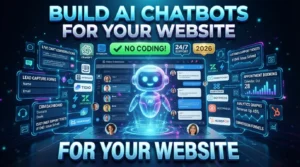
The best part? You no longer need coding skills to build an AI chatbot. Many modern platforms offer drag-and-drop interfaces and no-code chatbot builders that make deployment simple.
In this guide, you’ll learn how to create AI chatbots for your website, discover the best AI chatbot tools, and follow a step-by-step setup process for 2026.
For more AI software reviews, automation tutorials, business guides, and productivity tips, visit:
What Is an AI Chatbot?
An AI chatbot is a virtual assistant that uses artificial intelligence and natural language processing (NLP) to understand user questions and provide relevant responses.
Unlike traditional rule-based chatbots, AI chatbots can:
- Understand conversational language
- Answer follow-up questions
- Personalize responses
- Learn from interactions (depending on the platform)
- Escalate complex issues to human agents
- Integrate with business systems such as CRMs and help desks
Benefits of AI Chatbots
Implementing an AI chatbot can provide several business advantages.
Key Benefits
- 24/7 customer support
- Faster response times
- Increased lead generation
- Reduced support workload
- Improved customer satisfaction
- Better user engagement
- Automated appointment booking
- Higher conversion rates
- Consistent customer experiences
- Scalable support for growing businesses
Step 1: Define Your Chatbot’s Purpose
Before building your chatbot, determine what you want it to achieve.
Common goals include:
- Answering FAQs
- Customer support
- Lead qualification
- Product recommendations
- Appointment scheduling
- Order tracking
- Technical assistance
- Sales support
A clearly defined purpose will help you design effective conversations.
Step 2: Choose the Right AI Chatbot Platform
Several no-code AI chatbot builders are available for businesses of all sizes.
Popular AI Chatbot Platforms
ChatGPT API
Best for:
- Conversational AI
- Advanced customer support
- Personalized interactions
Intercom AI
Best for:
- Customer messaging
- Live chat
- Enterprise support
Tidio AI
Best for:
- Small businesses
- E-commerce websites
- Live chat automation
Zendesk AI
Best for:
- Help desk integration
- Customer service teams
ManyChat
Best for:
- Marketing automation
- Messenger and Instagram chatbots
Botpress
Best for:
- Custom AI chatbots
- Business workflows
Step 3: Build Your Knowledge Base
Your chatbot should have access to accurate business information.
Include:
- Product information
- Pricing
- Shipping details
- Return policies
- Business hours
- Frequently asked questions
- Contact information
- Troubleshooting guides
Keep this information updated to improve chatbot accuracy.
Step 4: Design Conversation Flows
Although AI can handle open-ended conversations, planning key conversation paths improves the user experience.
Examples include:
- Greeting new visitors
- Product recommendations
- Support requests
- Appointment booking
- Contact forms
- Escalation to human agents
Provide clear options and avoid overly complex conversation trees.
Step 5: Integrate Your Chatbot
Most chatbot platforms integrate with:
- WordPress
- Shopify
- Wix
- Squarespace
- Webflow
- Custom websites
Many also connect with:
- CRM software
- Email marketing platforms
- Help desk systems
- Calendar applications
- Payment gateways
These integrations allow your chatbot to automate additional business processes.
Step 6: Personalize Conversations
AI chatbots can tailor responses using customer information such as:
- Previous purchases
- Browsing history
- Account type
- Location
- Language preferences
Ensure personalization complies with applicable privacy regulations and customer consent requirements.
Step 7: Enable Human Handoff
Not every issue can or should be handled by AI.
Configure your chatbot to transfer conversations to a human representative when:
- Customers request an agent
- The chatbot cannot answer confidently
- Sensitive account issues arise
- Complaints require personal attention
- High-value sales opportunities are identified
Step 8: Monitor and Improve Performance
After deployment, continuously evaluate chatbot performance.
Track metrics such as:
- Conversation completion rate
- Customer satisfaction (CSAT)
- First response time
- Resolution rate
- Escalation rate
- Lead conversion rate
- Frequently asked questions
Use this data to refine responses and expand your knowledge base.
Best AI Chatbot Tools
ChatGPT API
Best for:
- Conversational AI
- Advanced chat experiences
Intercom AI
Best for:
- Live customer messaging
- Business support
Tidio AI
Best for:
- Small business websites
- E-commerce
Zendesk AI
Best for:
- Enterprise help desks
- Ticket management
ManyChat
Best for:
- Social media chatbots
- Marketing automation
Botpress
Best for:
- Custom chatbot development
- Workflow automation
HubSpot AI
Best for:
- CRM integration
- Lead management
Comparison Table
| AI Tool | Best For | Free Plan | No-Code Support |
|---|---|---|---|
| ChatGPT API | Conversational AI | API Pricing | Limited |
| Intercom AI | Customer Support | Trial | ✅ |
| Tidio AI | Small Business | ✅ | ✅ |
| Zendesk AI | Help Desk | Trial | ✅ |
| ManyChat | Marketing Chatbots | ✅ | ✅ |
| Botpress | Custom AI Chatbots | Limited | ✅ |
| HubSpot AI | CRM Integration | Limited | ✅ |
Best Practices for AI Chatbots
- Define a clear chatbot purpose
- Keep your knowledge base updated
- Offer easy access to human support
- Personalize responses where appropriate
- Test conversations regularly
- Monitor chatbot analytics
- Protect customer privacy
- Continuously improve chatbot performance
Common Mistakes to Avoid
Avoid these common pitfalls:
- Making conversations too complicated
- Hiding the option to contact a human
- Providing outdated information
- Ignoring user feedback
- Launching without testing
- Over-promising chatbot capabilities
- Neglecting privacy and security
Benefits of AI Chatbots
AI chatbots help businesses:
- Improve customer support
- Generate more leads
- Reduce support costs
- Increase conversions
- Provide 24/7 assistance
- Enhance customer satisfaction
- Scale support operations
- Automate repetitive tasks
Final Verdict
AI chatbots have become an essential tool for businesses looking to improve customer service, automate support, and increase lead generation. Platforms such as ChatGPT API, Intercom AI, Tidio AI, Zendesk AI, ManyChat, Botpress, and HubSpot AI make it easier than ever to build powerful chatbots without extensive technical knowledge.
The most successful chatbot implementations combine AI efficiency with human expertise. Use AI to handle routine conversations, but ensure customers can easily connect with a real person whenever personalized assistance is needed.
Frequently Asked Questions
Can I create an AI chatbot without coding?
Yes. Many chatbot platforms offer no-code builders with drag-and-drop interfaces, making it possible to create and deploy AI chatbots without programming experience.
Which AI chatbot is best for small businesses?
Tidio AI and ManyChat are popular options for small businesses due to their ease of use and affordable pricing. Businesses needing advanced conversational capabilities may also consider the ChatGPT API.
Can AI chatbots generate leads?
Yes. AI chatbots can qualify visitors, collect contact information, recommend products, and schedule appointments, making them effective tools for lead generation.
Do AI chatbots replace human support agents?
No. AI chatbots are most effective when they automate routine tasks while escalating complex or sensitive issues to human representatives.
Internal Link
Explore more AI tools, chatbot tutorials, business automation guides, and productivity resources at: