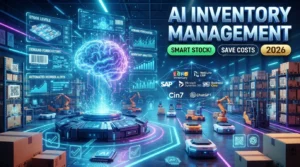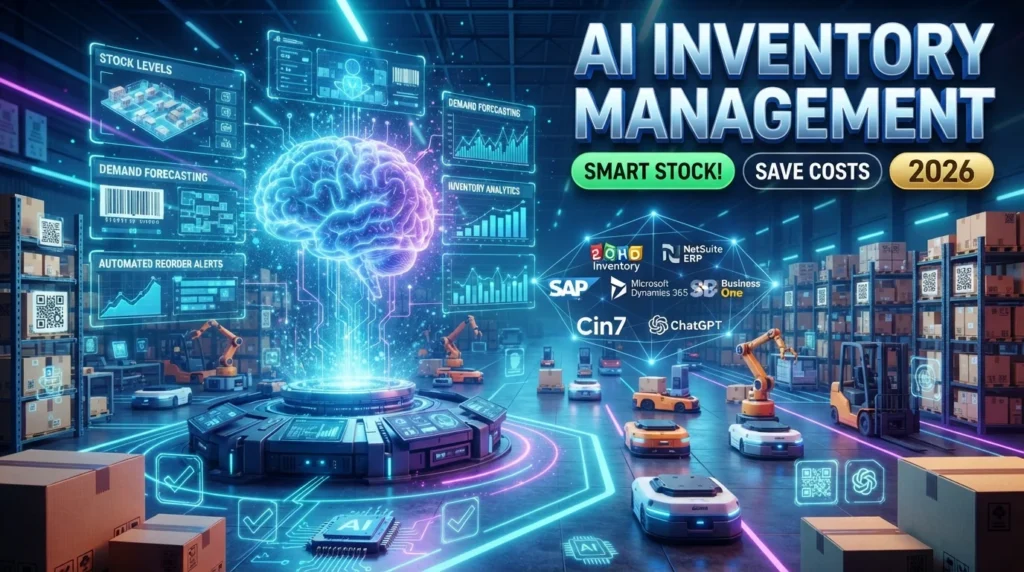
Managing inventory efficiently is one of the biggest challenges for retailers, eCommerce businesses, manufacturers, and wholesalers. Overstocking ties up capital and increases storage costs, while understocking can lead to missed sales and dissatisfied customers.
Artificial Intelligence (AI) is transforming inventory management by analyzing historical sales data, predicting demand, automating stock replenishment, and providing real-time insights. Instead of relying solely on manual tracking and spreadsheets, businesses can use AI to make smarter inventory decisions, reduce waste, and improve operational efficiency.
In this guide, you’ll learn how to use AI for inventory management, explore the best AI inventory management tools, and discover practical strategies to optimize stock levels in 2026.
For more AI software reviews, business automation tutorials, and productivity resources, visit:
What Is AI Inventory Management?
AI inventory management uses artificial intelligence and machine learning to monitor stock levels, forecast demand, optimize purchasing, and automate inventory-related tasks.
AI can assist with:
- Demand forecasting
- Stock optimization
- Inventory tracking
- Automatic reordering
- Warehouse management
- Supplier recommendations
- Sales trend analysis
- Inventory reporting
- Product performance analysis
- Supply chain optimization
AI supports inventory decisions, but businesses should also consider supplier constraints, seasonal factors, and market conditions.
Benefits of AI for Inventory Management
AI helps businesses manage inventory more effectively.
Key Benefits
- Reduce stock shortages
- Minimize excess inventory
- Improve demand forecasting
- Lower storage costs
- Increase operational efficiency
- Automate reordering
- Reduce manual errors
- Improve cash flow
- Enhance customer satisfaction
- Gain real-time inventory visibility
Step 1: Analyze Historical Sales Data
AI learns from historical business data to identify purchasing patterns.
Useful data sources include:
- Sales history
- Seasonal demand
- Customer purchasing behavior
- Promotions
- Product returns
- Supplier performance
- Inventory turnover
The more accurate your historical data, the more reliable AI predictions are likely to be.
Step 2: Forecast Customer Demand
AI can estimate future inventory requirements by analyzing:
- Seasonal trends
- Holiday demand
- Customer behavior
- Regional sales
- Market changes
- Product popularity
Forecasts are estimates and should be reviewed alongside business knowledge and external market factors.
Step 3: Automate Stock Replenishment
Instead of manually checking inventory, AI can automatically recommend or trigger reorder points based on:
- Minimum stock levels
- Lead times
- Sales velocity
- Supplier availability
- Safety stock requirements
Businesses should periodically review automated reorder settings to ensure they remain appropriate.
Step 4: Optimize Warehouse Operations
AI can improve warehouse efficiency by:
- Organizing inventory locations
- Suggesting optimal picking routes
- Tracking product movement
- Identifying slow-moving stock
- Reducing fulfillment times
These optimizations can lower operational costs and improve order accuracy.
Step 5: Monitor Inventory in Real Time
Modern AI systems provide real-time inventory updates across:
- Physical stores
- Warehouses
- Online marketplaces
- Distribution centers
Real-time visibility helps reduce discrepancies and supports better purchasing decisions.
Step 6: Identify Slow-Moving Products
AI can detect inventory that is selling more slowly than expected.
Businesses can then:
- Run promotions
- Bundle products
- Adjust pricing
- Reduce future purchases
- Clear excess stock
These actions help improve inventory turnover and reduce carrying costs.
Step 7: Improve Supplier Management
AI can analyze supplier performance by tracking:
- Delivery times
- Pricing trends
- Order accuracy
- Stock availability
- Reliability
These insights can support supplier evaluations but should be combined with broader business considerations.
Step 8: Generate Inventory Reports
AI can automatically create reports covering:
- Stock levels
- Inventory turnover
- Product performance
- Demand forecasts
- Purchase recommendations
- Profit margins
Regular reporting helps managers monitor inventory health and identify improvement opportunities.
Best AI Inventory Management Tools
Zoho Inventory
Best for:
- Small businesses
- Inventory tracking
- Order management
NetSuite ERP
Best for:
- Enterprise inventory management
- Supply chain operations
Microsoft Dynamics 365
Best for:
- Inventory planning
- Warehouse management
SAP Business One
Best for:
- Manufacturing
- Enterprise resource planning (ERP)
Cin7
Best for:
- Multi-channel inventory
- Retail and eCommerce
Katana Cloud Inventory
Best for:
- Manufacturers
- Production planning
ChatGPT
Best for:
- Inventory analysis
- Report summaries
- Process recommendations
Comparison Table
| AI Tool | Best For | Free Plan | AI Features |
|---|---|---|---|
| Zoho Inventory | Small Business | ✅ | ⭐⭐⭐⭐ |
| NetSuite ERP | Enterprise | Demo | ⭐⭐⭐⭐⭐ |
| Microsoft Dynamics 365 | Warehouse Management | Trial | ⭐⭐⭐⭐⭐ |
| SAP Business One | Manufacturing | Demo | ⭐⭐⭐⭐⭐ |
| Cin7 | Retail & eCommerce | Trial | ⭐⭐⭐⭐ |
| Katana Cloud Inventory | Manufacturing | Trial | ⭐⭐⭐⭐ |
| ChatGPT | Inventory Analysis | ✅ | ⭐⭐⭐⭐⭐ |
Best Practices for AI Inventory Management
- Maintain accurate inventory records
- Integrate AI with sales and ERP systems
- Review demand forecasts regularly
- Monitor supplier performance
- Set realistic reorder points
- Track inventory turnover
- Audit inventory periodically
- Protect business data and system access
Common Mistakes to Avoid
Avoid these common pitfalls:
- Relying on incomplete inventory data
- Ignoring seasonal demand changes
- Automating every decision without review
- Failing to monitor supplier performance
- Neglecting inventory audits
- Using outdated forecasting models
- Overlooking employee training
Benefits of AI Inventory Management
AI helps businesses:
- Reduce inventory costs
- Prevent stock shortages
- Improve forecasting accuracy
- Increase warehouse efficiency
- Automate purchasing decisions
- Improve customer satisfaction
- Optimize cash flow
- Scale inventory operations
Final Verdict
AI is reshaping inventory management by providing smarter demand forecasting, automating stock replenishment, and improving operational visibility. Platforms such as Zoho Inventory, NetSuite ERP, Microsoft Dynamics 365, SAP Business One, Cin7, Katana Cloud Inventory, and ChatGPT help businesses streamline inventory processes and make more informed decisions.
The best results come from combining AI-driven insights with human expertise. Regularly review forecasts, monitor supplier performance, and validate AI recommendations to ensure your inventory strategy remains aligned with changing business needs.
Frequently Asked Questions
Can AI manage inventory automatically?
AI can automate many inventory tasks, including demand forecasting, reorder recommendations, stock tracking, and reporting. Human oversight remains important for strategic decisions and exception handling.
Which AI inventory management tool is best?
The right tool depends on your business. Zoho Inventory is well suited for many small businesses, NetSuite ERP and Microsoft Dynamics 365 support larger organizations, while Cin7 is popular among retailers and eCommerce businesses.
Can AI reduce inventory costs?
AI can help reduce costs by improving demand forecasts, minimizing excess stock, reducing shortages, and optimizing purchasing decisions. Savings will vary depending on implementation and business conditions.
Is AI inventory management suitable for small businesses?
Yes. Many AI-powered inventory platforms offer scalable pricing and features, making them suitable for startups and small businesses as well as large enterprises.
Internal Link
Discover more AI tools, automation guides, business tutorials, and productivity resources at: