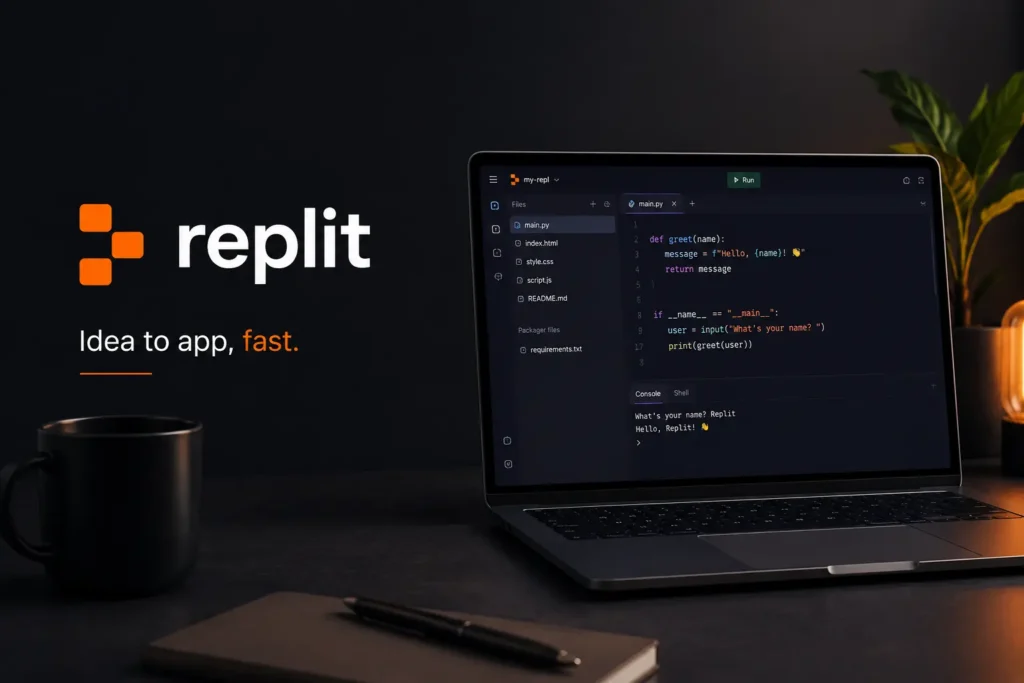
If you are searching for a Replit AI coding platform, this guide will help you understand why Replit has become one of the most useful tools for building apps, websites, dashboards, prototypes, and software projects faster.
AI coding tools are changing how people build software. Instead of writing every line of code manually, users can now describe what they want, ask for changes, debug errors, and publish projects from one workspace.
At AI Trends Hub, we cover practical AI tools for creators, businesses, developers, and productivity-focused users. If you are already exploring tools like Cursor AI, DeepSeek, and Kimi, Replit is another important AI development tool worth knowing.
What Is Replit?
Replit is an online coding platform that helps users build software directly from the browser. It includes a cloud-based workspace, coding tools, AI support, app hosting, collaboration features, and deployment options.
The biggest attraction of Replit is that users can start with an idea and build a working project without setting up a complicated local development environment. This makes it useful for beginners, students, developers, founders, freelancers, and small teams.
Replit can be used to build websites, web apps, dashboards, prototypes, internal tools, games, automation tools, and simple business applications.
Replit Agent — Build Apps With Natural Language
Replit Agent is one of the main features that makes Replit different from a normal coding editor. Users can describe an app or website idea in plain language, and Replit Agent helps plan, build, test, debug, and publish the project.
This makes Replit useful for people who want to build software faster, even if they are not expert developers.
Key Benefits
- Helps build apps from natural language prompts
- Useful for websites, dashboards, and prototypes
- Supports coding, testing, debugging, and hosting
- Reduces setup time for new projects
- Useful for beginners and experienced developers
- Helps turn ideas into working software faster
Replit for Beginners
Replit is beginner-friendly because users do not need to install many tools before writing code. Everything runs in the browser, which makes it easier to start learning programming.
Students and beginners can use Replit to practice HTML, CSS, JavaScript, Python, Node.js, React, and other technologies. The AI features can also help explain errors and suggest improvements.
Key Benefits
- Easy to start without local setup
- Good for learning programming
- Helps explain coding errors
- Useful for small practice projects
- Beginner-friendly cloud workspace
Replit for Developers
Developers can use Replit to build and test projects quickly. It is useful for prototypes, side projects, internal tools, quick experiments, and AI-assisted coding workflows.
Replit also helps developers work faster by combining code editing, AI assistance, collaboration, and deployment in one place.
For more developer-focused tools, you can also explore Best AI Tools for App Development.
Key Benefits
- Useful for fast prototyping
- Helps write and debug code
- Supports full-stack app development
- Good for side projects and MVPs
- Combines coding and deployment
Replit for Startups and Founders
Startup founders can use Replit to turn ideas into early product versions. Instead of waiting weeks for a basic prototype, founders can use Replit Agent to create an initial version and test the idea faster.
This is useful for landing pages, MVPs, internal tools, demo apps, dashboards, and investor-ready prototypes.
Key Benefits
- Helps build MVPs faster
- Useful for testing startup ideas
- Supports product demos
- Saves time during early development
- Good for founders and solo builders
Replit for Students
Students can use Replit for coding practice, assignments, projects, and learning new programming languages. Since projects run online, students can access their work from different devices.
AI support also makes it easier to understand errors, improve code, and learn concepts step by step.
Key Benefits
- Useful for school and university projects
- Helps practice coding online
- Good for learning multiple languages
- Makes projects easier to share
- Supports AI-assisted learning
Replit for Teams
Replit can also support team collaboration. Users can invite collaborators, work on projects together, and use AI assistance to move faster.
This is useful for small teams, hackathons, agencies, startup teams, and product teams that want a shared online development workspace.
Key Benefits
- Supports collaboration
- Useful for team projects
- Helps share work quickly
- Good for hackathons and startups
- Makes development more accessible
Replit for Website Building
Replit can help users create websites from scratch or with AI assistance. Users can build landing pages, portfolios, business websites, product pages, and simple web apps.
This makes it useful for creators, freelancers, small businesses, and founders who want to launch simple web projects quickly.
Key Benefits
- Helps create websites faster
- Useful for portfolios and landing pages
- Supports front-end and full-stack development
- Good for freelancers and small businesses
- Can publish projects online
Replit for App Deployment
One strong part of Replit is that users can build and publish projects from the same platform. This reduces the need to move code between multiple tools just to get an app online.
For beginners and fast builders, this all-in-one workflow is very useful.
Key Benefits
- Helps publish apps from one workspace
- Reduces deployment complexity
- Useful for prototypes and small apps
- Good for sharing projects quickly
- Helps move from idea to live project
Replit Pricing and Plans
Replit offers a free Starter plan and paid plans for users who need more credits, advanced features, collaboration, private deployments, and heavier usage.
The right plan depends on how often you build, deploy, and use AI features. Beginners can start with the free plan, while serious builders, developers, and teams may need paid options.
Pricing can change, so users should always check Replit’s official pricing page before subscribing.
Key Benefits
- Free plan available for testing
- Paid plans support heavier usage
- Useful for individuals and teams
- Good for beginners and professionals
- Scales based on project needs
Things to Consider Before Using Replit
Replit is powerful, but users should still review code carefully before publishing. AI-generated code can contain bugs, security issues, or logic mistakes.
For serious apps, users should check authentication, database access, API keys, environment variables, privacy settings, and deployment security before going live.
Important Considerations
- AI-generated code needs review
- Security settings should be checked
- Sensitive data should not be exposed
- Production apps need testing
- Paid usage and credits should be monitored
- Human oversight is still important
Replit Pros and Cons
Pros
- Easy browser-based coding
- Useful AI app-building features
- Helps beginners start quickly
- Good for prototypes and MVPs
- Supports coding, testing, and deployment
- Useful for students, developers, and founders
- Collaboration features available
Cons
- AI-generated code still needs checking
- Larger projects may require developer knowledge
- Heavy AI usage can require paid plans
- Pricing and credits should be monitored
- Not every production app should be built without technical review
Who Should Use Replit?
Replit is useful for anyone who wants to build software faster with AI assistance.
It is especially useful for:
- Beginners
- Students
- Developers
- Startup founders
- Freelancers
- Product builders
- Small businesses
- Hackathon teams
- Creators
- Teachers
- Solo builders
Why Replit Is a Strong AI Coding Platform
Replit is strong because it combines coding, AI assistance, collaboration, hosting, and deployment in one workspace.
It helps beginners learn faster, helps developers prototype quickly, and helps founders turn ideas into early products without managing complex setup.
That makes Replit one of the most practical AI coding platforms for users who want to build and launch projects faster.
Final Verdict
Replit is worth trying if you want an AI-powered coding platform for building apps, websites, dashboards, prototypes, and software projects faster.
It is especially useful for beginners, students, developers, founders, freelancers, and teams that want a browser-based workspace with AI assistance and deployment features.
For more AI tool guides and comparisons, visit AI Trends Hub and explore the latest AI tools for creators, businesses, students, and developers.